Evaluate trained policies
With the local installation
Trained models can be evaluated and the results can be saved with the script evaluate_policy.py.
Flag |
Description |
Type |
Example |
|
|---|---|---|---|---|
|
Unique experiment ID |
int |
99 |
|
|
Number of evaluation timesteps |
int |
1000 |
|
|
Enable information logging at each evaluation steps |
bool |
0 (default) or 1 |
|
|
Live rendering of end-effector and goal positions |
int |
0: do not plot (default) |
2: 2D or 3: 3D |
|
Render environment during evaluation |
bool |
0 (default) or 1 |
Example:
python evaluate_policy.py --exp-id 99 --n-eval-steps 1000 --log-info 0 --plot-dim 0 --render 0
The plots are printed in the associated experiment folder, e.g. logs/exp_99/ppo/.
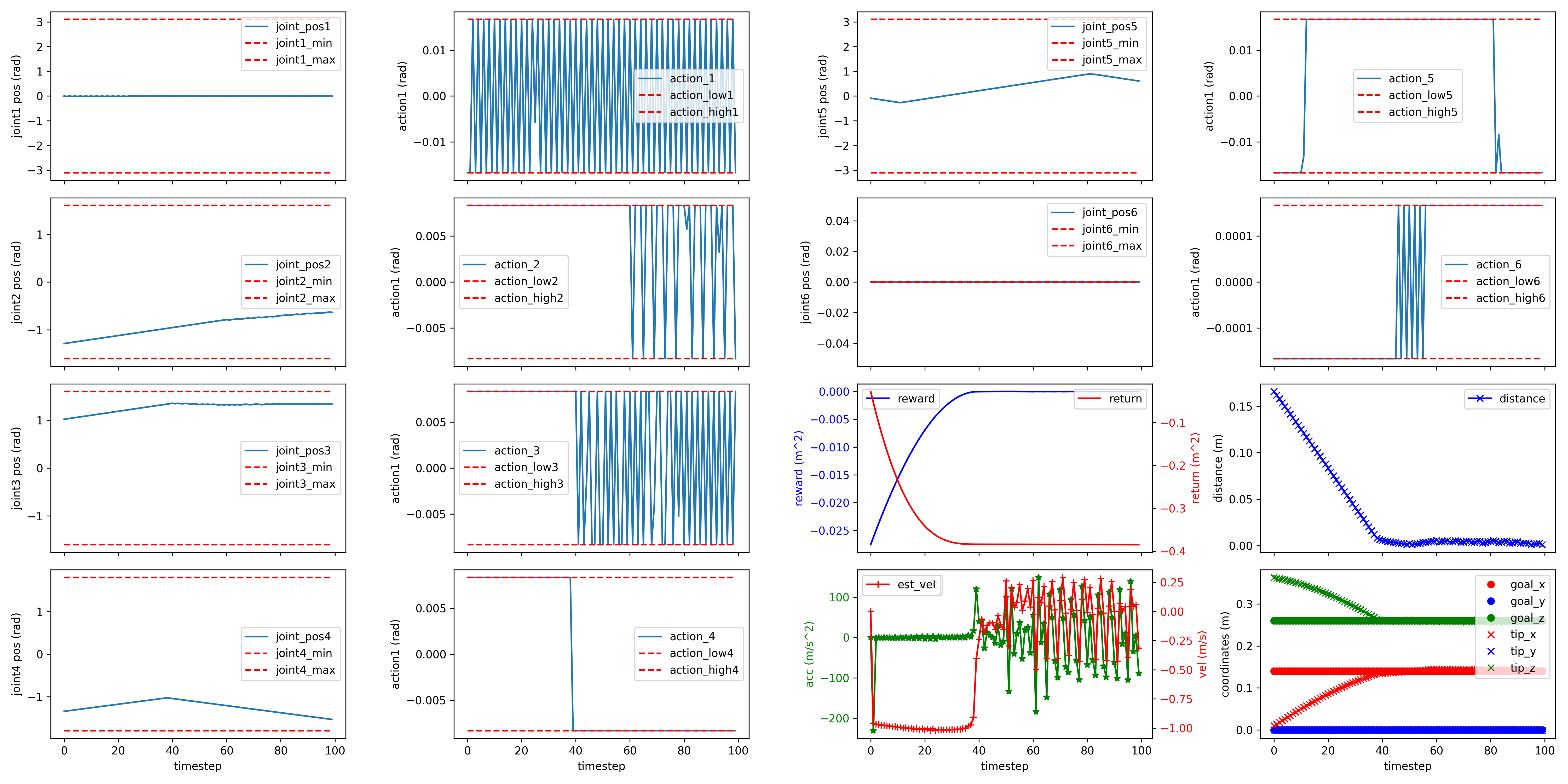
If --log-info was enabled during evaluation, it is possible to plot some useful information as shown in the plot below.
python scripts/plot_episode_eval_log.py --exp-id 99
An example of environment evaluation plot:
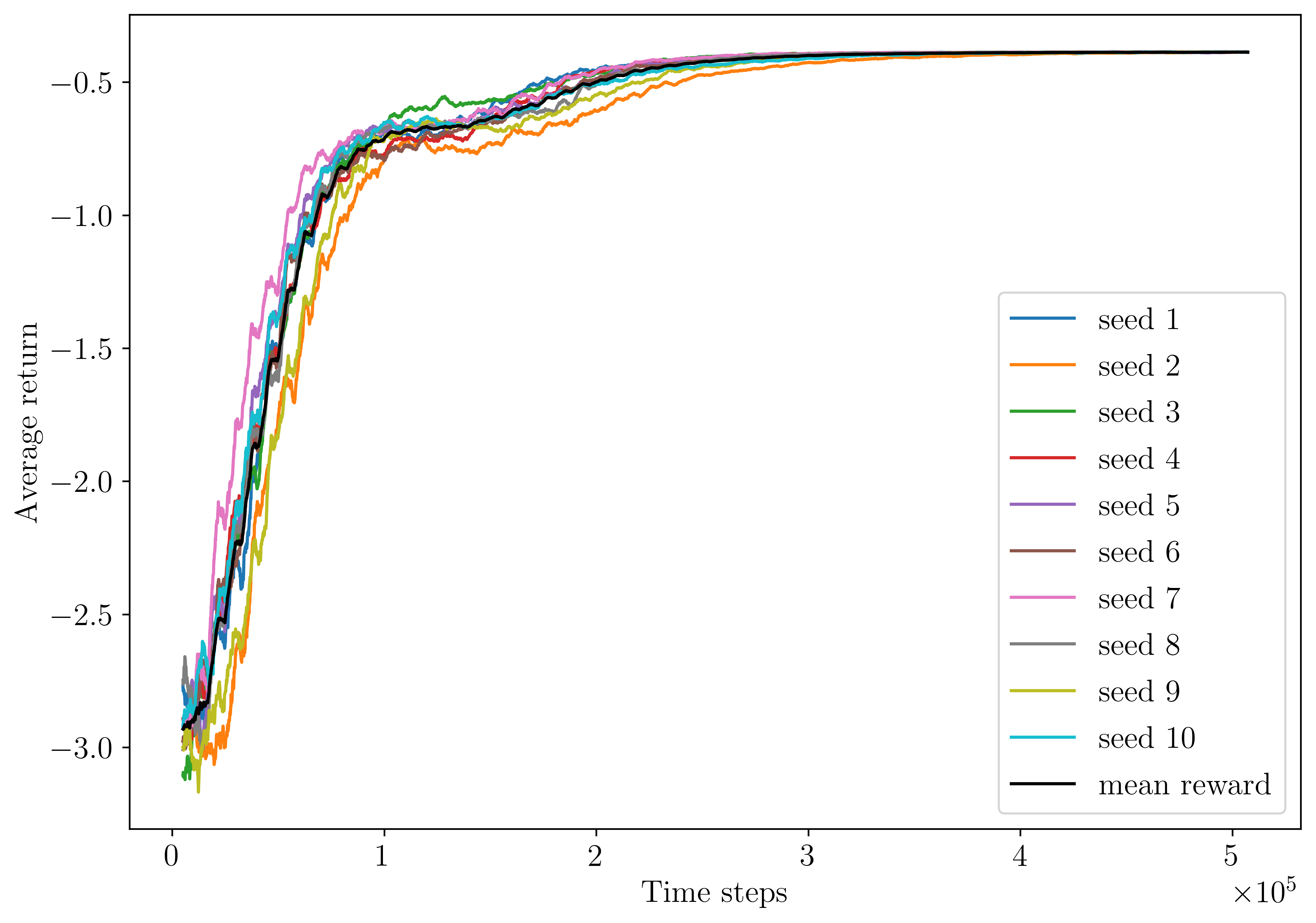
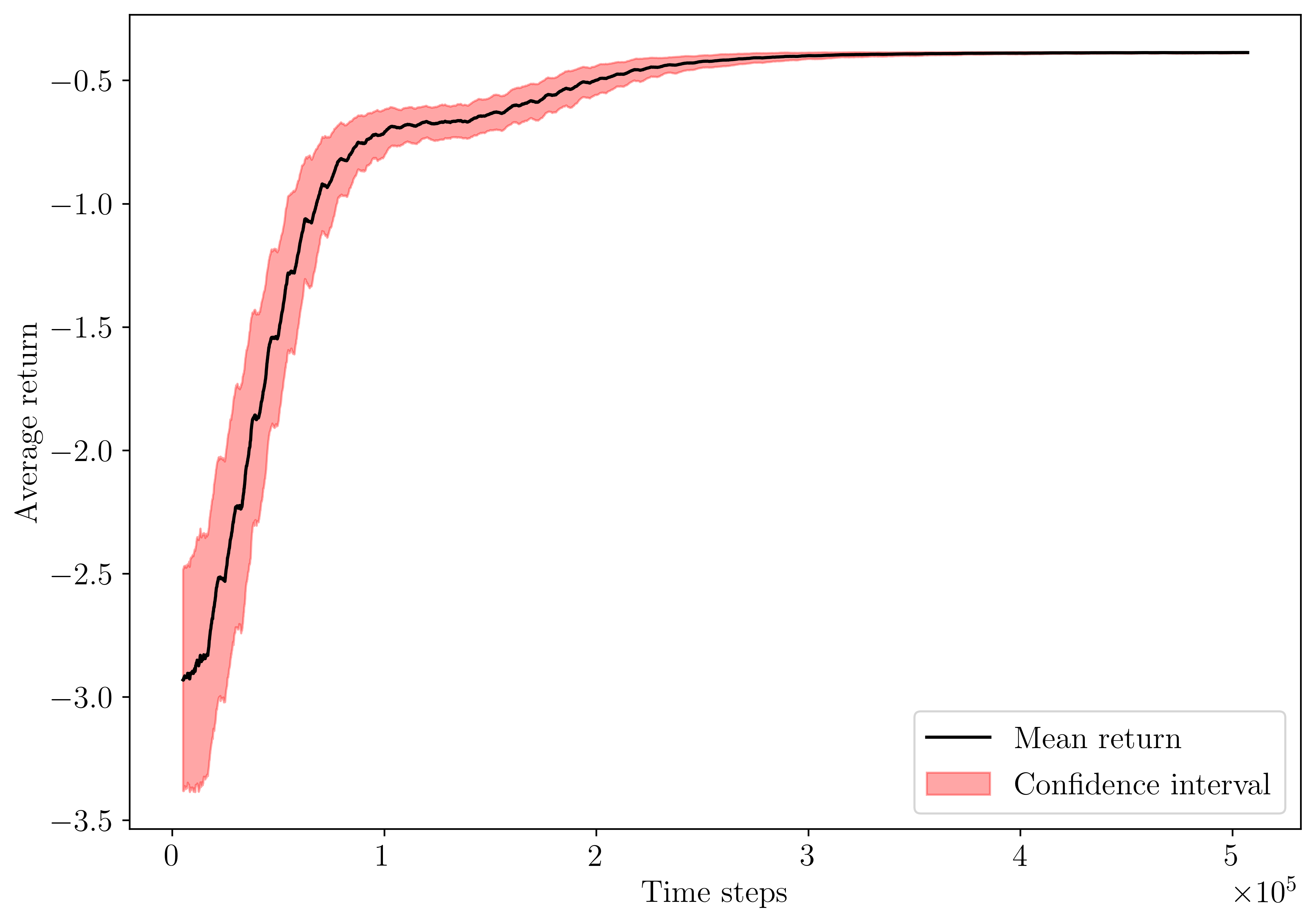
An example of experiment learning curve:
With Docker
Trained policies can be evaluated from the Docker containers. The result files and plots will generated in the working directory of the host machine.
# CPU
docker run -it --rm --network host --ipc=host --mount src=$(pwd),target=/root/rl_reach/,type=bind rlreach/rlreach-cpu:latest bash -c "python evaluate_policy.py --exp-id 99 --n-eval-steps 1000 --log-info 0 --plot-dim 0 --render 0"
# GPU
docker run -it --rm --runtime=nvidia --network host --ipc=host --mount src=$(pwd),target=/root/rl_reach/,type=bind rlreach/rlreach-gpu:latest bash -c "python evaluate_policy.py --exp-id 99 --n-eval-steps 1000 --log-info 0 --plot-dim 0 --render 0"
A Shell script is provided for ease of usability.
# CPU
./docker/run_docker_cpu.sh python evaluate_policy.py --exp-id 99 --n-eval-steps 1000 --log-info 0 --plot-dim 0 --render 0
# GPU
./docker/run_docker_gpu.sh python evaluate_policy.py --exp-id 99 --n-eval-steps 1000 --log-info 0 --plot-dim 0 --render 0
Reset the repository
It can sometimes be convenient to clean all the results and log files and reset the repository. This can be done with the following Shell script.
./cleanAll.sh
Warning
Warning, this cannot be undone!